Forgot Password
Step 1: Click Forgot Password on the Login/Register page.
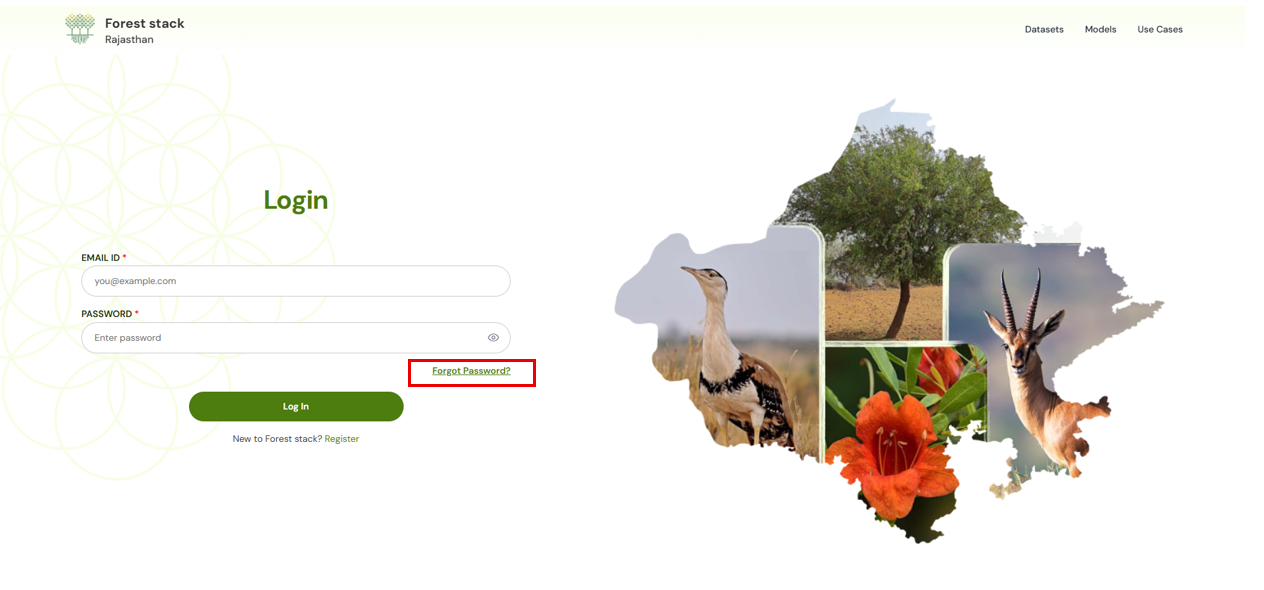
Clicking on Forgot Password
Step 2: Enter your email address and submit.
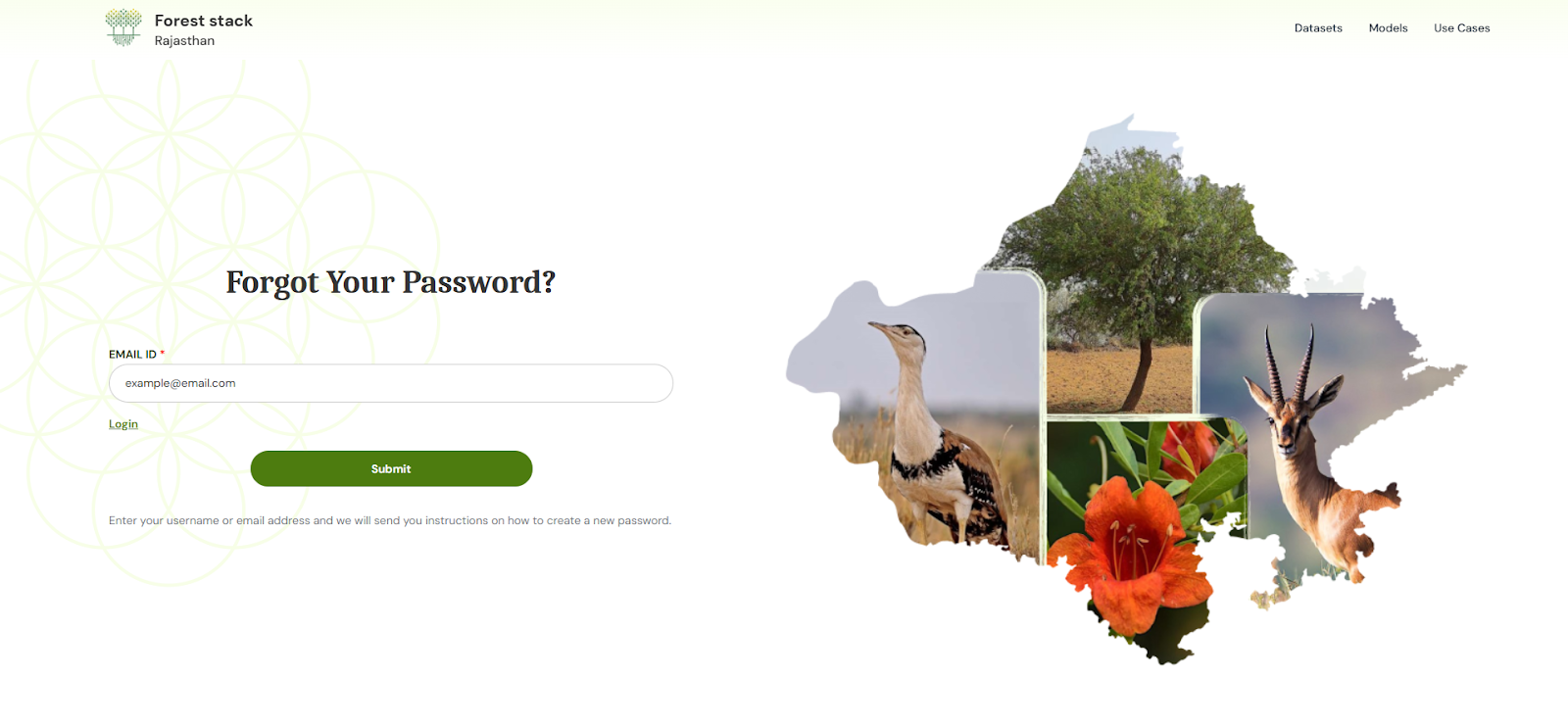
Forgot Password Form
Step 3: Open the password reset email and click the provided link.
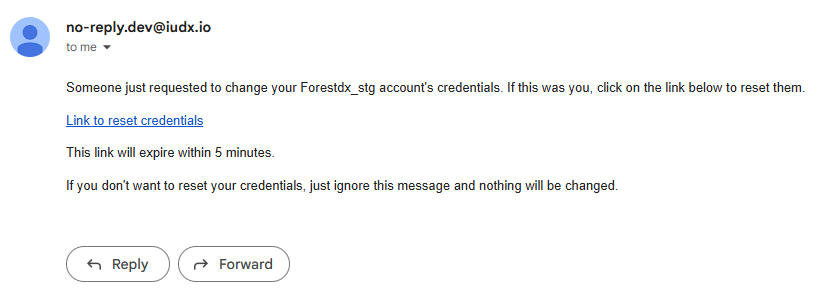
Screenshot of email
Step 4: Create a new password that meets the on-screen criteria.
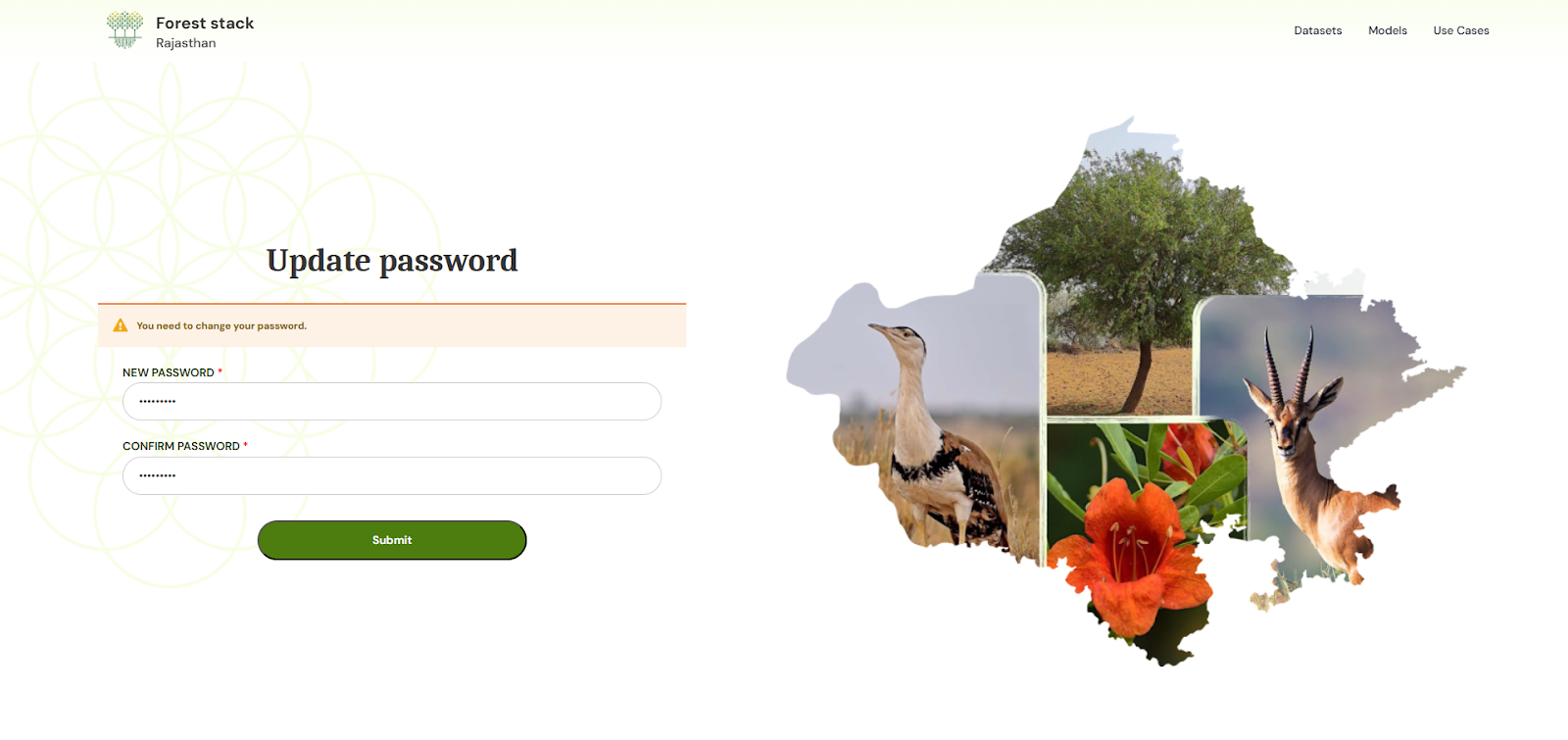
Screenshot of new password creation
Step 5: Your password will be updated. Login/Register with your new password to access your dashboard.